
Understanding Cheap VPS Hosting: Value vs. Compromise

Navigating the vast landscape of web hosting can often feel like walking a tightrope between budgetary constraints and technical performance demands. For decades, website owners scaling beyond basic personal blogs faced a stark dichotomy: remain trapped in the performance bottlenecks of traditional shared hosting environments or leap straight into expensive, dedicated hardware configurations. However, the maturation of cloud virtualization technology has fundamentally bridged this gap. To comprehend why low-cost virtual private servers have become the industry standard for budget-conscious developers, small business owners, and digital hobbyists, one must first examine the foundational mechanics of how these environments operate and how they contrast with traditional entry-level alternatives.
At its core, a Virtual Private Server operates by taking a powerful physical server—often equipped with enterprise-grade multi-core processors, massive pools of Error-Correcting Code (ECC) memory, and ultra-fast NVMe storage arrays—and dividing it into multiple isolated virtual compartments using advanced hypervisor software like KVM, Xen, or VMware. Unlike traditional shared hosting, where hundreds of distinct user accounts draw unpredictably from a single, communal pool of system resources without strict boundaries, a VPS guarantees specific allocations of processing power, memory, and disk input/output operations. For a deeper dive into the foundational concepts, you can read more in our Beginner’s Guide to Virtual Servers. This architectural separation means that even if a neighboring virtual machine on the same physical hardware experiences a massive traffic spike or a security compromise, your specific environment remains completely insulated, ensuring consistent, predictable performance day in and day out.
The transition from shared environments to virtual servers becomes particularly urgent when a web property begins to attract steady traffic. When evaluating options for an expanding digital storefront, webmasters frequently weigh the architectural limitations of cheap shared packages against the scalability of isolated instances, a dilemma thoroughly explored in our analysis of Shared Hosting vs VPS for a Growing Store. On shared platforms, a single resource-heavy script running on another user’s site can slow your database queries to a crawl, resulting in lost sales and frustrated customers. A cheap VPS eliminates this “noisy neighbor” effect by providing dedicated virtual resources and root-level administrative access. This root access grants you the freedom to install custom software stacks, tweak web server configurations like Nginx or Apache, implement advanced security protocols, and optimize caching layers precisely to your application’s unique requirements—a level of control that shared hosting simply cannot accommodate.
As we look at the market standards for 2025–2026, entry-level pricing for virtual private servers has reached unprecedented levels of affordability without sacrificing the core benefits of virtualization. Industry analysts tracking current provider pricing note that reliable cheap plans commonly start around $4.19 to $6 per month—which translates locally to approximately 170 UAH to 250 UAH depending on real-time currency fluctuations. To help budget-conscious buyers evaluate what market options look like today, benchmarks from industry publications provide valuable perspective; for instance, you can review performance rankings on Best Cheap VPS Hosting in 2025: Tested & Ranked by Value as well as comparative metrics detailed by Best Cheap VPS Hosting Plans (2026) – SysOpsBits.
To fully understand what these entry-level budget allocations provide, consider the typical hardware specifications bundled into these sub-$6 monthly tiers:
| Resource Metric | Entry-Level Budget Allocation (2025–2026) | Practical Application & Capability |
|---|---|---|
| vCPU | 1 Virtual Core | Sufficient for lightweight content management systems, personal development environments, and low-traffic APIs. |
| RAM | 1 GB | Ideal for running a lean Linux distribution (such as Ubuntu or Debian) alongside an optimized LEMP stack. |
| Storage | 20 GB to 25 GB NVMe / SSD | Ample space for operating system files, database storage, and several standard website media assets. |
| Bandwidth | 1 TB to 2 TB Monthly Transfer | Easily handles thousands of monthly visitors without incurring costly overage fees. |
While these configurations represent incredible economic value, striking the right balance between cost and capability requires a clear understanding of potential compromises. At the 170 UAH to 250 UAH monthly price point, providers typically offer unmanaged services. This means you, the end-user, are entirely responsible for system updates, security hardening, firewall configuration, and disaster recovery backups. Furthermore, CPU and RAM limits are strictly enforced; while your neighbors cannot steal your resources, your own server will hit a processing ceiling if traffic exceeds the capacity of a single vCPU. Therefore, buyers must carefully audit their technical competency and application demands, ensuring that the remarkable financial savings of cheap VPS hosting do not translate into hidden administrative burdens or unexpected performance bottlenecks down the road.
Top Budget VPS Providers Compared: Market Leaders in 2026

Navigating the landscape of affordable cloud infrastructure requires looking past aggressive marketing claims to evaluate the raw resource allocation, hardware generation, and network reliability offered by each host. The modern low-cost VPS market is fiercely competitive, forcing major players to optimize their data centers and virtualization layers. When comparing budget-friendly options, the primary challenge is distinguishing between providers that strip away critical performance metrics to hit a low price point and those that achieve economic scale through modern hardware and automated provisioning. Evaluating these market leaders involves examining exact resource configurations, memory-to-price ratios, and virtualization architectures to find the best balance for your specific application requirements.
Hetzner Cloud has consistently dominated industry benchmarks as a gold standard for value-driven deployment. For developers and system administrators working on tight budgets, Hetzner offers entry-level and mid-tier packages that routinely outperform competitors charging double the price. Their popular configurations, such as plans hovering around €4.50 to €4.56 per month, deliver an impressive allocation of 2 vCPUs, 2 GB of RAM, and 40 GB of blazing-fast NVMe storage. This hardware profile immediately undercuts the traditional market baseline by offering double the CPU cores and storage capacity of standard entry-level tiers elsewhere. Backed by enterprise-grade data centers primarily located in Europe, Hetzner achieves this through high-density virtualization and aggressive operational efficiency, making it an exceptional choice for production environments requiring reliable disk I/O and consistent processing power. For those seeking comprehensive market insights, resources like Best Cheap VPS Hosting 2026: Hetzner, Cloudways, Hostinger provide a broader look at how these configurations stack up against managed alternatives.
In contrast to Hetzner’s hardware-heavy European packages, the traditional American cloud triad—comprising Vultr, DigitalOcean, and Linode (now part of Akamai)—has historically anchored the standard baseline for entry-level deployments. These providers typically price their foundational droplets, instances, and linodes at approximately $5 to $6 per month. For this price, users generally receive 1 vCPU, 1 GB of RAM, and 25 GB of solid-state drive storage. While these raw resource metrics might appear modest compared to European competitors, these platforms compensate with highly polished global control panels, robust API ecosystems, extensive documentation, and an array of strategically distributed data center regions spanning North America, Asia, Europe, and Australia.
Vultr stands out for its vast selection of physical server locations and hourly billing models, which appeal to developers who need to spin up and tear down testing environments rapidly. DigitalOcean remains a favorite for beginners and growing digital agencies due to its famously intuitive user interface and rich ecosystem of managed databases, spaces, and app platforms. Meanwhile, Linode (Akamai) leverages its parent company’s massive content delivery network infrastructure to offer exceptional network throughput and dependable uptime, making it a reliable backbone for web applications that demand low latency across global endpoints.
For projects driven primarily by memory requirements rather than CPU or storage speed, Contabo carved out a distinct market niche. Contabo’s offerings stand out by providing significantly higher RAM allocations at low price points, with plans generally ranging from $4.99 to $6.99 per month (or roughly translated locally as 170 UAH to 290 UAH depending on regional exchange rates and currency tiers) while packing 4 GB of RAM or more. This high memory-to-price ratio is an invaluable asset for memory-intensive workloads, such as running self-hosted relational databases, heavy Java applications, or bustling e-commerce engines. If you are operating resource-heavy applications, you can read more about balancing infrastructure needs in guides like Best VPS Hosting for Growing Online Stores in 2026. However, users should note that while Contabo excels in raw RAM capacity, their baseline disk I/O and CPU steal-time can sometimes exhibit higher variance during peak node utilization compared to dedicated-core or strictly capped NVMe providers.
At the absolute floor of the pricing spectrum lies OVHcloud, which frequently appears in ultra-budget comparisons with entry-level plans starting at approximately $3.50 per month. As a price-first option, OVHcloud caters to students, hobbyists, and administrators managing personal blogs or lightweight staging servers who need a Linux environment for pennies. However, these ultra-budget packages usually come with lower baseline resource specs, fewer included snapshot backups, and more restrictive traffic or bandwidth clauses compared to mid-tier competitors. Furthermore, while companies like OVH provide robust enterprise infrastructure, their economy tiers often feature stripped-down support channels, requiring users to rely heavily on community forums and self-service troubleshooting.
| Provider | Estimated Monthly Cost | vCPU | RAM | Storage Type & Capacity | Best Suited For |
|---|---|---|---|---|---|
| Hetzner Cloud | €4.50 – €4.56 | 2 | 2 GB | 40 GB NVMe | Maximum value, European performance, general web apps |
| Vultr | $5.00 – $6.00 | 1 | 1 GB | 25 GB SSD | Global deployments, rapid testing, hourly flexibility |
| DigitalOcean | $5.00 – $6.00 | 1 | 1 GB | 25 GB SSD | Developer-friendly UX, easy scaling, rich app ecosystem |
| Linode (Akamai) | ~$5.00 | 1 | 1 GB | 25 GB SSD | High network performance, stable uptime, global CDN backing |
| Contabo | $4.99 – $6.99 | Varies | 4 GB+ | Generous HDD/SSD | Memory-heavy workloads, databases, budget RAM scaling |
| OVHcloud | ~$3.50 | Lower | Lower | Limited SSD/HDD | Ultra-budget testing, personal scripts, hobbyist projects |
Ultimately, selecting the right budget VPS provider depends on matching your application’s operational bottlenecks with the structural strengths of these market leaders. If raw computing power and storage volume per dollar are your primary metrics, European providers like Hetzner present a compelling case. If you prioritize a seamless developer experience with instantaneous API integration across dozens of global zones, the classic American trio remains unmatched. Meanwhile, specialized needs—such as heavy memory usage or absolute rock-bottom pricing—direct attention toward Contabo or OVHcloud. By carefully analyzing these trade-offs, you can secure high-performing infrastructure without inflating your monthly overhead.
How to Evaluate Cheap VPS Performance Through Benchmarks
When navigating the crowded hosting market, it is easy to fall into the trap of assuming that a higher price tag automatically guarantees superior speed, while a budget-friendly option must inherently suffer from sluggish resource allocation. In reality, cheap VPS performance is not determined by price alone. Marketing materials provided by hosting companies frequently boast about high-end hardware specifications, such as multi-core processors and blazing-fast NVMe storage drives, but these promotional claims rarely translate directly into real-world operational efficiency. To cut through the marketing noise and uncover true value, prospective buyers must look toward objective, data-driven methodologies. This is where professional benchmark-based reviews become an indispensable asset, providing the granular insights needed to make an informed purchasing decision without risking the stability of your digital projects.
Professional benchmarking goes far beyond executing a quick, superficial speed test that only captures a momentary snapshot of server responsiveness. True performance evaluation requires testing CPU capabilities, disk input/output (I/O) throughput, and network speed over multiple days or extended 72-hour windows. A server might appear exceptionally fast during a brief, isolated test conducted right after a fresh boot, but its true character is revealed only under sustained load patterns, during peak traffic hours, and through extended endurance cycles. By monitoring how a virtual private server handles continuous computational stress over a multi-day period, reviewers can detect hidden performance bottlenecks, thermal throttling, aggressive resource throttling, and the detrimental effects of overcrowded physical nodes where noisy neighbors exhaust shared hardware resources.
To achieve this level of rigorous evaluation, specialized testing frameworks have emerged within the industry. For instance, platforms like VPSBenchmarks measure 25 different metrics over several days to systematically group them into reliable, digestible categories for accurate value comparison. Instead of forcing users to sift through raw, overwhelming data points, these advanced testing suites aggregate complex performance indicators into clear functional categories, including raw CPU processing power, disk I/O speed, and network latency or throughput. This structured approach allows developers, system administrators, and business owners to compare an affordable five-dollar-per-month instance against a more expensive tier with confidence, ensuring that the chosen provider delivers genuine computing power rather than just impressive specifications on paper.
Understanding how to read and interpret these multi-metric benchmark scores requires looking closely at how each core component impacts day-to-day operations. CPU power metrics evaluate how efficiently the virtual processor handles complex mathematical calculations, multithreaded tasks, and sudden spikes in computational demand. Disk I/O speed tests determine how rapidly the storage subsystem can read and write data files, which is a critical factor for database-heavy applications, content management systems, and e-commerce platforms that rely on fast database queries to maintain optimal checkout speeds. Network speed tests, meanwhile, measure bandwidth consistency, packet loss rates, and latency across multiple geographic regions, ensuring that your global audience can access your web assets without frustrating delays.
Furthermore, because modern web applications and online storefronts demand absolute reliability, integrating these benchmarking insights with ongoing server health assessments is a best practice for modern digital infrastructure. Just as benchmark reviews help you choose the right foundational environment before deployment, utilizing sophisticated server monitoring tools for e-commerce once your site is live ensures that your affordable VPS maintains its performance standards over the long term. Combining pre-purchase benchmark analysis with continuous post-launch monitoring creates a bulletproof strategy for maximizing uptime, protecting user experience, and getting the absolute highest return on your hosting investment.
When comparing cheap VPS providers using benchmark data, it is helpful to look at how different metrics are typically structured and evaluated in professional reviews:
- CPU Performance Categories: Measures single-core and multi-core processing efficiency, integer and floating-point operations, and performance stability under sustained high-load conditions over a 72-hour testing window.
- Storage (Disk I/O) Metrics: Evaluates random read/write IOPS (Input/Output Operations Per Second) and sequential throughput to ensure databases and file systems do not experience latency bottlenecks during high-traffic surges.
- Network and Connectivity Tests: Assesses domestic and international latency, packet delivery success rates, and sustained download/upload speeds to guarantee rapid content delivery for global visitors.
By relying on these comprehensive, multi-day benchmark evaluations rather than trusting promotional pricing tables alone, you can successfully separate the genuinely high-performing budget hosts from those that merely cut corners on hardware quality. Taking the time to analyze these 25-metric evaluations protects your applications from unexpected downtime and sluggish loading times, proving that affordable hosting does not have to mean sacrificing speed, reliability, or peace of mind.
Hardware Factors: NVMe Storage, RAM, and Bandwidth Limits
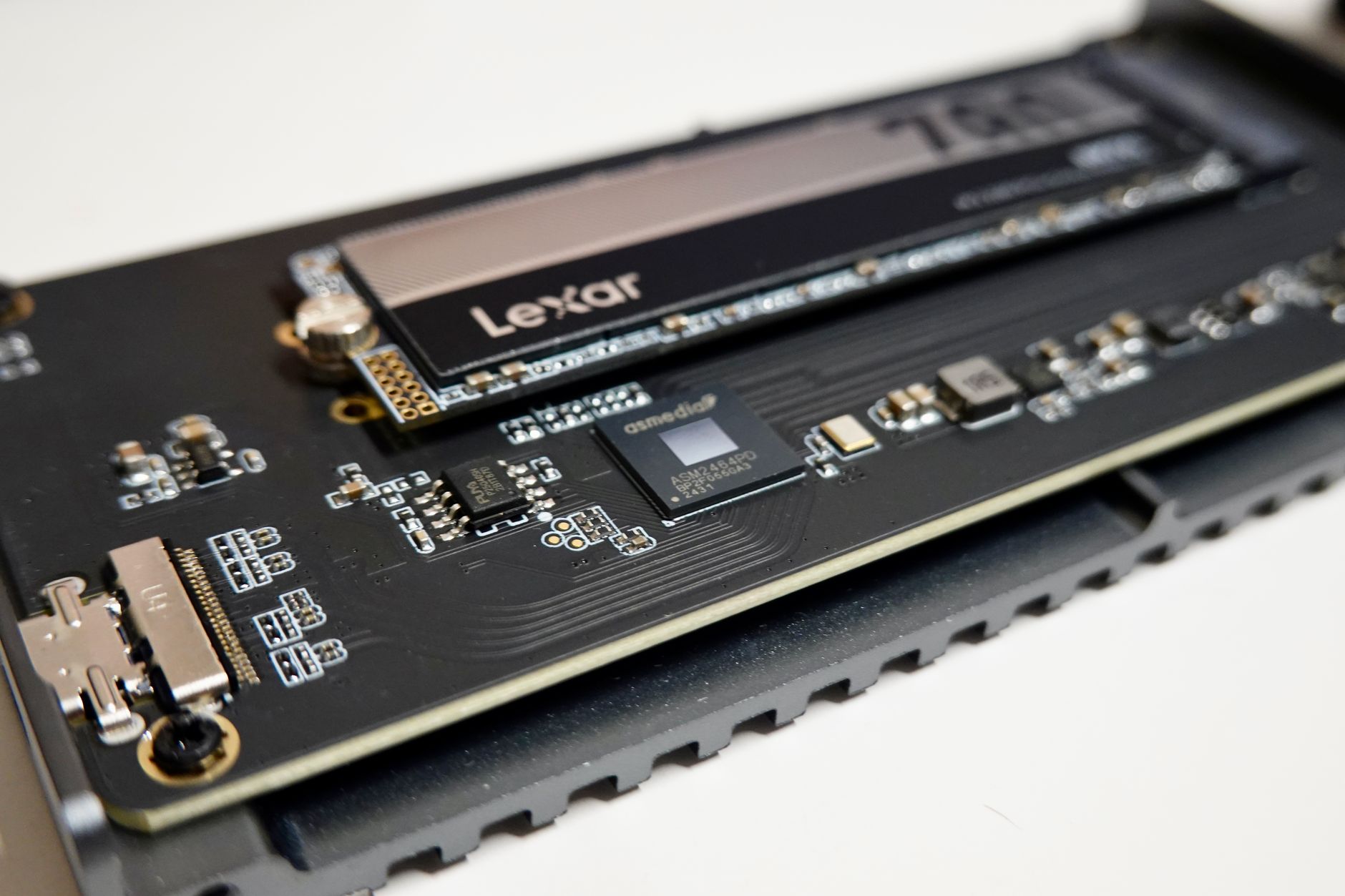
When shopping for affordable virtual private server solutions, it is remarkably easy to get blinded by flashy promotional prices and marketing buzzwords. However, seasoned webmasters and system administrators know that true server performance boils down to underlying hardware specs. Budget providers often cut corners to maintain low margins, making it critical to scrutinize the foundational components of your hosting environment. To ensure your applications run smoothly without unexpected bottlenecks, you must carefully evaluate the triumvirate of server performance: storage technology, memory allocation, and data transfer allowances. When comparing options curated in roundups like the Best cheap VPS hosting 2025 guide, looking past the price tag to examine these specific hardware factors is what separates a lightning-fast deployment from a sluggish user experience.
The most dramatic shift in modern budget infrastructure is the widespread obsolescence of traditional SATA Solid State Drives and mechanical hard disks. NVMe (Non-Volatile Memory Express) storage has rapidly become the gold standard, even within lower market segments. Unlike legacy SATA SSDs that bottleneck at roughly 550 MB/s due to interface limitations, NVMe drives utilize the PCIe bus, enabling read and write speeds that routinely exceed 3,000 to 7,000 MB/s. For database-heavy applications, content management systems like WordPress, or environments running complex e-commerce platforms, this hardware upgrade is non-negotiable. If you are implementing aggressive Image Optimization for Faster E-Commerce Product Pages in 2026, having an underlying storage medium that can rapidly fetch, cache, and serve media assets ensures your server never lags during traffic surges. Fortunately, NVMe storage is a common differentiator in affordable plans, and several budget providers advertise NVMe on entry plans rather than older SSD storage, meaning you rarely have to pay a premium to secure high-speed input/output performance.
Beyond storage, random access memory (RAM) and central processing unit (vCPU) cores dictate how many concurrent processes your server can handle. On ultra-budget tiers, you will frequently encounter configurations starting at 1 GB or 2 GB of RAM. While this is entirely sufficient for lightweight node applications, small staging environments, or personal blogs, production environments hosting dynamic databases will quickly exhaust these limits. When RAM is maxed out, the operating system is forced to use swap space on the storage drive, which—even on fast NVMe drives—will introduce latency and drag down overall execution times. It is vital to calculate your memory footprint accurately before locking into an annual contract, keeping in mind that caching layers, PHP workers, and mail servers all consume substantial RAM resources.
Equally important, though frequently overlooked by buyers hyper-focused on compute power, are network bandwidth limits. Bandwidth limits vary widely among cheap plans, from about 1 TB on some low-cost offers to 20–32 TB on higher-value budget plans, so traffic needs can matter as much as RAM or CPU. If your website features heavy media downloads, video streaming, or experiences unpredictable traffic spikes, a restrictive 1 TB monthly cap can result in severe overage fees or throttled port speeds that cripple your user experience halfway through the month.
To help visualize how different budget tiers stack up against these critical metrics, consider the following performance profile breakdown:
| Specification Tier | Average Storage Type | Typical RAM Allocation | Monthly Bandwidth Cap | Ideal Use Case |
|---|---|---|---|---|
| Entry Budget | NVMe (Lower IOPS) | 1 GB – 2 GB | 1 TB – 2 TB | Personal blogs, testing environments, lightweight APIs |
| Mid-Range Value | Enterprise NVMe | 4 GB – 8 GB | 5 TB – 15 TB | Small business sites, busy WordPress blogs, staging servers |
| High-End Budget | Dedicated NVMe Array | 16 GB+ | 20 TB – 32 TB+ | Growing e-commerce stores, high-traffic web applications |
Evaluating these specs collectively allows you to filter out providers that offer high vCPU counts paired with painfully low bandwidth caps or restrictive disk input/output limits. By analyzing real-world benchmarks and consulting resources like the Best Cheap VPS in 2026: Affordable Servers That Don’t …, you can identify hosting partners that strike the ideal balance between cost-efficiency and raw hardware capability, ensuring your digital infrastructure remains robust as your project scales.
Matching Your Workload: Latency, OS Choice, and Special Requirements
Choosing an affordable virtual private server requires a deep understanding of your specific technical requirements rather than simply shopping for the lowest monthly price. When evaluating budget infrastructure, the cheapest plan on a provider’s pricing matrix might feature standard mechanical drives or high-latency network routes that completely derail performance for demanding applications. High-frequency or low-latency VPS plans are often positioned as better for latency-sensitive workloads such as gaming or finance, even when they are still cheap. These specialized tiers typically utilize overclocked CPU cores—often exceeding 3.8 GHz to 4.0 GHz—combined with NVMe storage arrays connected via enterprise-grade PCIe Gen4 interfaces. For instance, if you are running a real-time trading bot, a game server with high tick rates, or a busy transactional database, single-core processing speed and packet round-trip times matter significantly more than having an abundance of slower, budget-tier vCores.
To systematically align your infrastructure with your operational goals, you must break down your workload into distinct resource pillars. Consider the following architectural considerations when vetting budget hosting options:
- Processor Architecture: Opt for high-clock-rate CPUs (AMD EPYC or Intel Xeon with high single-thread performance) for game servers, lightweight microservices, and financial trading scripts where execution speed is critical.
- Storage Subsystem: Insist on NVMe SSD storage over traditional SATA SSDs. Random IOPS performance directly dictates how smoothly relational databases and content management systems handle concurrent user traffic.
- Network Routing & Port Speeds: Verify that the budget host provides at least a 1 Gbps port with unmetered or generously capped traffic, alongside direct peering agreements with major Internet Exchange points to minimize packet jitter.
Beyond raw hardware metrics, your operating system selection dictates both your licensing expenses and your environment’s resource footprint. For most web applications, APIs, and containerized deployments, Linux distributions such as Ubuntu LTS, Debian, or AlmaLinux remain the gold standard due to their minimal baseline RAM utilization and zero licensing costs. However, specialized enterprise stacks or legacy line-of-business applications often require proprietary environments. Before committing to a provider, review guides such as Windows vs Linux VPS: Which OS Fits Your Workload? to understand how licensing fees and resource overhead impact your bottom line. Running Windows Server on a budget VPS, for example, typically demands a minimum of 2 GB of RAM just for the operating system to idle comfortably, whereas a headless Linux installation can run efficiently on as little as 512 MB to 1 GB of RAM.
Database-heavy tasks and e-commerce platforms introduce another layer of complexity that budget hosts must be configured to handle. If your application relies on heavy MySQL or PostgreSQL queries, default configuration files provided by standard OS installers will quickly exhaust your server’s memory and cause performance bottlenecks. You can explore targeted strategies for this scenario in MySQL Tuning & Database Optimization for Online Stores, which highlights how proper indexing, query caching, and buffer pool allocations can make an affordable 2 GB RAM server perform like a much more expensive machine. Without these fine-tuned optimizations, even the best budget hardware will buckle under heavy concurrent read/write operations.
Ultimately, navigating the landscape of affordable hosting requires cross-referencing industry benchmarks and expert testing. Publications like The best VPS hosting services for 2026: Expert tested and … provide valuable insights into how budget providers hold up under sustained stress tests, while community-driven platforms like 22 Affordable VPS/VDS Hosting Providers for Personal and … offer granular, real-world user experiences regarding uptime consistency and network stability. By matching your exact application requirements—whether that means prioritizing sub-millisecond network latency, configuring a lightweight Linux kernel, or fine-tuning database memory allocations—you can successfully leverage cheap VPS hosting without compromising the speed, security, or reliability your users demand.
Hidden Costs and Common Pitfalls When Buying Cheap Hosting
When navigating the market for budget-friendly infrastructure, the temptation to select the absolute lowest monthly price tag is nearly irresistible. Advertised rates starting at two or three dollars a month can make even a cautious webmaster throw caution to the wind. However, in the realm of virtual private servers, hyper-aggressive discounting almost invariably hides structural compromises, aggressive resource limitations, or predatory billing practices. A common mistake in cheap VPS selection is choosing the lowest monthly price without checking overage rules, bandwidth caps, or whether the advertised storage is SSD or NVMe. When you peel back the marketing gloss, understanding where providers cut corners is essential to safeguarding both your budget and your application’s uptime.
One of the most frequent traps encountered by buyers is the illusion of unlimited or exceptionally cheap data transfer. While a provider might advertise generous bandwidth limits, a deep dive into their terms of service often reveals restrictive overage rules or throttled port speeds once a modest threshold is crossed. For instance, a budget plan costing three dollars a month might include a meager one terabyte of outbound data transfer. If your website experiences a viral moment, an unexpected traffic spike, or falls victim to a minor distributed denial-of-service attack, you could easily blow past that cap. The resulting overage fees can instantly dwarf the initial savings, turning a bargain server into a financial liability. Always cross-reference the bandwidth specifications with your projected traffic volume, and check out resources like this analysis of cheap VPS hosting providers to understand standard industry limits.
Storage technology is another critical battleground where ultra-low-cost providers sacrifice performance to maintain razor-thin profit margins. Many entry-level plans still utilize outdated Serial ATA or mechanical hard disk drives masked behind generic “SSD storage” marketing terms, or they allocate space on heavily congested storage area networks prone to input/output bottlenecks. When evaluating an affordable offer, you must verify whether the provider utilizes modern enterprise-grade NVMe drives configured in redundant arrays. Without true NVMe storage, database query execution times suffer drastically, leading to sluggish page loads, poor user experiences, and ultimately diminished search engine rankings. Furthermore, if you are running an e-commerce platform where database read and write operations happen concurrently, poor storage throughput can directly compromise your conversion rates—a phenomenon further explored when reviewing web hosting uptime guarantees and their relationship to backend hardware reliability.
Perhaps the most insidious financial shockwave associated with budget infrastructure is the dramatic renewal rate hike. Providers frequently lure customers in with steep introductory discounts—such as eighty percent off—that apply exclusively to the initial billing cycle, whether that is a single month or a triennial commitment. Once that promotional period lapses, the monthly invoice automatically scales up to the standard, non-discounted rate, which can easily be three to four times higher than the introductory figure. To protect your long-term operating budget, you must meticulously review the fine print during checkout to identify the exact renewal cost. Additionally, watch out for hidden setup fees, mandatory charges for basic operating system re-installs, or extra costs for fundamental security features like DDoS mitigation and automated daily backups that more transparent competitors include natively.
Key Red Flags to Watch For During Checkout
- Introductory vs. Renewal Discrepancies: Ensure you know what the bill will look like twelve or twenty-four months down the line.
- Ambiguous Hardware Specs: Look for explicit confirmation of NVMe controllers rather than vague references to “fast storage” or “high-performance disks.”
- Strict Traffic Throttling: Investigate whether exceeding your monthly data allocation results in steep per-gigabyte surcharges or an immediate reduction of your network port speed to dial-up levels.
- Paywalled Essentials: Watch out for unexpected add-on costs for IPv4 addresses, snapshot backups, and standard firewall management tools.
Evaluating overall value requires looking past the bold headline figures and examining the structural foundation of the service. For those looking to benchmark different pricing models against actual utility, comparing options through an objective lens such as this overview of which VPS offers the best value for money can provide much-needed clarity. By maintaining a healthy skepticism toward rock-bottom pricing and conducting rigorous due diligence regarding resource allocations, you can secure an economical hosting environment that scales reliably without introducing catastrophic financial or technical surprises.
Conclusion: Securing the Best Price-to-Performance Ratio
Navigating the crowded landscape of virtual private servers can feel overwhelming, especially when countless web hosts promise unlimited resources, lightning-fast speeds, and 100% uptime for just a few dollars a month. However, as we have explored throughout this guide, separating marketing hyperbole from technical reality requires a methodical approach. Independent testing has consistently shown that some low-cost providers can deliver exceptional real-world value by successfully combining aggressive pricing structures with robust uptime figures and strong benchmark results. This proves that you do not need to empty your corporate or personal bank account to secure a reliable, high-performing hosting environment for your projects.
Ultimately, your final purchasing decision should focus squarely on achieving the best price-to-performance ratio rather than simply hunting down the absolute cheapest initial price tag on the market. A hosting plan that costs two dollars a month might look exceptionally attractive on paper, but if it suffers from persistent packet loss, frequent hardware degradation, or painfully slow disk I/O speeds that cause your applications to time out, that minor financial saving is instantly wiped out by lost revenue, frustrated users, and wasted troubleshooting hours. Conversely, paying slightly more for a budget provider that utilizes modern NVMe storage arrays, efficient virtualization technology, and well-optimized network routes yields an environment that punches well above its weight class, rivalling the performance of mainstream enterprise hosts at a fraction of the cost.
To solidify your final choice and ensure long-term satisfaction, consider establishing a structured evaluation checklist before committing to any long-term billing cycle. By weighing quantitative metrics against your specific functional requirements, you can eliminate emotional decision-making and focus strictly on operational utility. Below is a practical framework to help you synthesize your findings and select a provider that offers genuine, sustained value:
- Verify Real-World Benchmarks: Look beyond theoretical core counts and examine actual CPU single-core performance, memory read-write speeds, and network throughput data gathered from independent stress tests.
- Analyze Renewal Rates vs. Promotional Discounts: Ensure that the introductory monthly fee does not skyrocket by 300% after the first billing term expires, transforming an affordable option into an expensive liability.
- Assess Scalability Headroom: Confirm that the provider allows seamless, zero-downtime upgrades to higher RAM and storage tiers so your infrastructure can grow alongside your audience or traffic demands.
- Evaluate Support Reliability: Test the responsiveness and technical competency of the customer support desk via live chat or ticket systems before migrating critical production workloads.
For those building complex commercial web architectures, online storefronts, or data-heavy digital storefronts, balancing raw computational output with strict reliability becomes even more critical. If you are operating in the online retail sector, you may also want to reference specialized resources such as our guide on Choosing Ecommerce Hosting in 2026: The Ultimate Guide to ensure your chosen VPS infrastructure aligns with modern payment security standards, high concurrency demands, and uptime guarantees. Furthermore, keeping an eye on broader industry benchmarks—such as those highlighted in expert analyses like TechRadar’s overview of the Best VPS hosting of 2026—can provide invaluable context regarding how emerging budget contenders stack up against legacy industry giants.
In practice, securing the ideal balance of cost and capability means looking past flashy marketing banners and digging into the underlying architecture. When you prioritize verifiable performance metrics, stable virtualization nodes, and transparent billing policies, budget-friendly hosting ceases to be a risky compromise. Instead, it becomes a strategic advantage that allows you to deploy scalable, high-speed applications efficiently, sustainably, and within a sensible budget.
Sources
Need help choosing a hosting setup?
Our team reviews e-commerce infrastructure every day and can tell you what actually fits your traffic and budget.
Webmister Test Hosting — Kyiv
Mon-Fri 9:00-18:00


